FoxyFy DNS — Installation
FoxyFy DNS is a fully standards-compliant DNS resolver across RFC 8484 (DoH) and RFC 7858 (DoT) — essentially on par with Cloudflare, Quad9, or Google’s resolvers. 🦊⚡

How to use FoxyFy DNS?
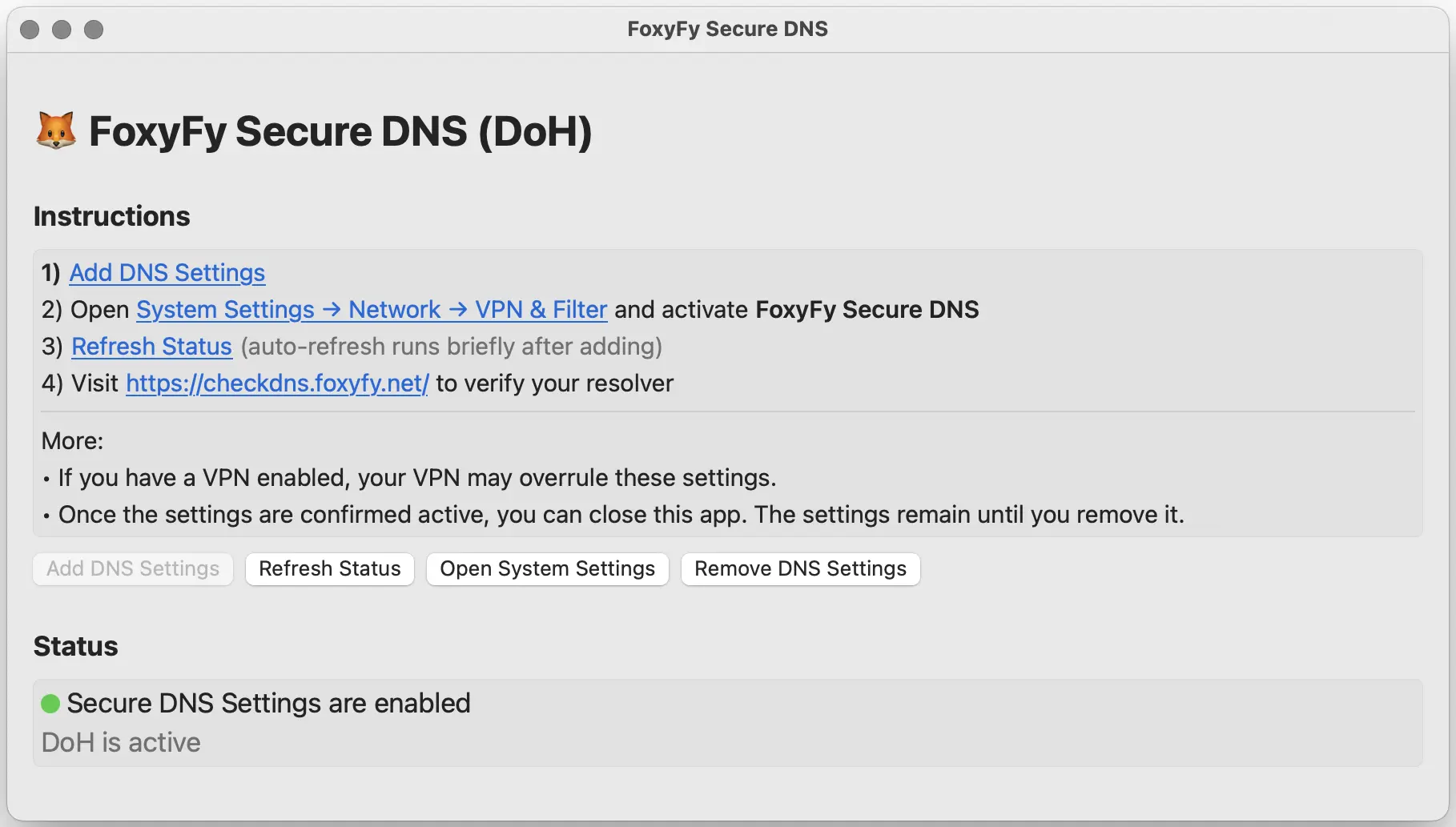
Recommended: use the FoxyFy DNS app
The app automatically tests FoxyFy DNS locations and selects the fastest reachable server for your network.
This avoids manually pinning one server that may be far away or overloaded.
FoxyFy Secure DNS App & FoxyFy DNS VPN App
Best for: Ease of use
Download from App Store and follow the instructions.
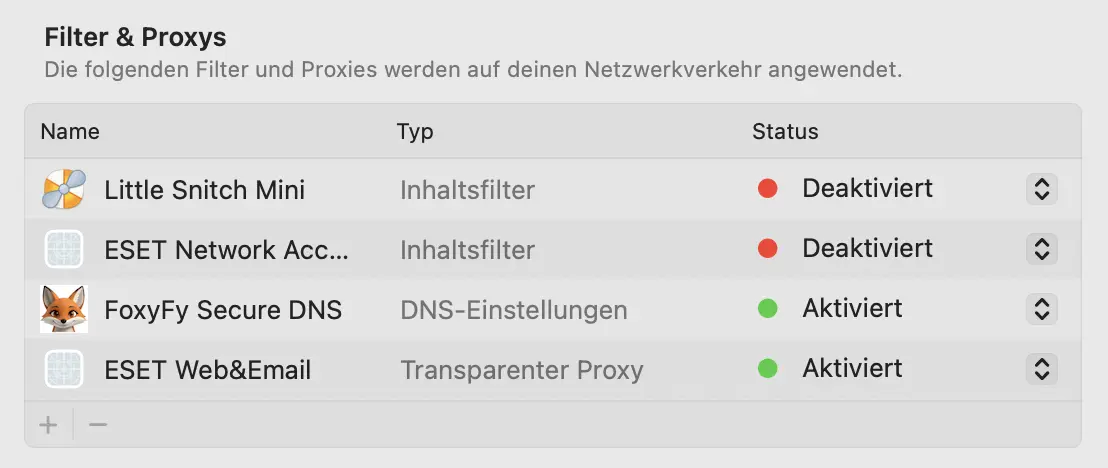
- 🍏 MacOS – Secure DNS App (DoH):
- 🍏 iOS – DNS VPN App (plain IPs via VPN tunnel)
Advanced manual setup
Manual setup does not auto-route.
Pick the method that fits your device/network. You can mix and match.
Choose a regional endpoint only if you know which location works best from your network.
Copy the IP, hostname or query URL of the nearest server or choose the generic item according to the following overview.
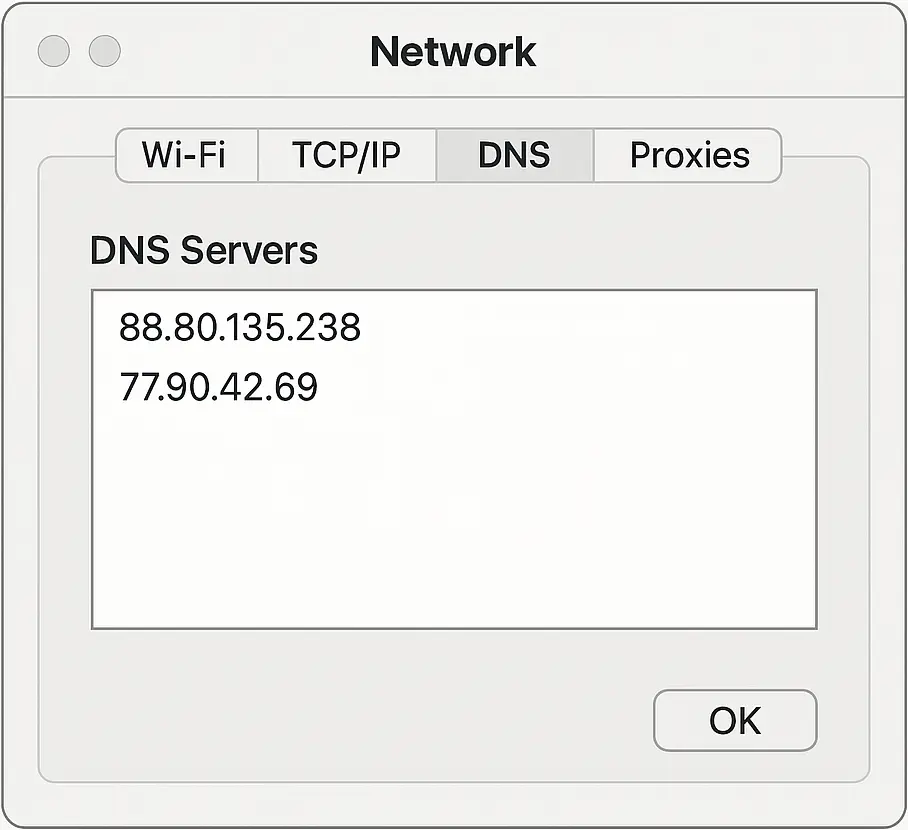
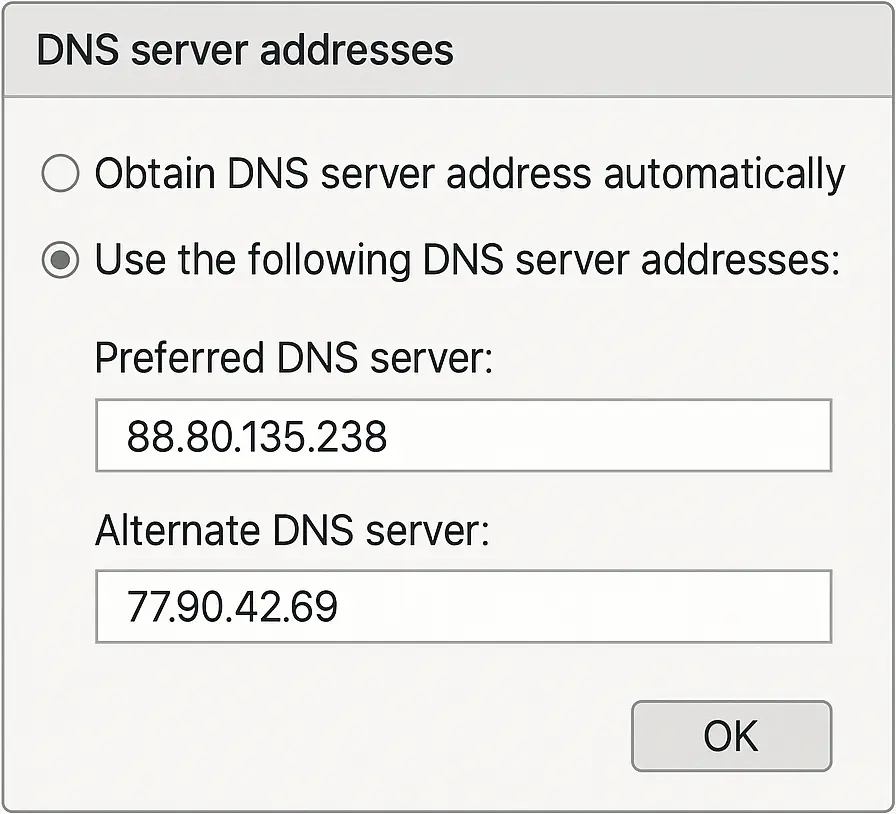
Plain DNS settings
Location | Plain IPv4 / IPv6 |
|---|---|
* Generic (EU Germany) | 37.221.95.37 | 2a06:de00:401:6fc::1 |
EU – Germany (Center) | 37.221.95.37 | 2a06:de00:401:6fc::1 |
EU – Germany (South) | 109.94.170.135 |
EU – Romania | 193.142.58.115 |
EU – Spain | 194.53.137.2 |
US – East (NY) | 198.46.188.14 |
US – West (LA) | 96.44.178.68 |
Asia – Japan | 185.184.223.150 |
🔥 You will get more locations by using our apps.
- Router: Internet/WAN → DNS servers → add our IPv4/IPv6.
- Windows/macOS/iOS (Wi-Fi): Set custom DNS on the network and add our IPs.
- Android: Works per Wi-Fi only (not system-wide).
DNS over TLS (DoT)
Best for: Android system-wide privacy & security.
Requires a hostname; IPs won’t work.
Location | DoT |
|---|---|
* Generic | dns.foxyfy.net |
EU – Germany (Center) | de-du.foxyfy.net |
EU – Germany (South) | de-fe.foxyfy.net. |
EU – Romania | ro-bu.foxyfy.net |
EU – Spain | es-ma.foxyfy.net |
US – East (NY) | us-ny.foxyfy.net |
US – West (LA) | us-la.foxyfy.net |
Asia – Japan | jp-to.foxyfy.net |
🔥 You will get more locations by using our apps.
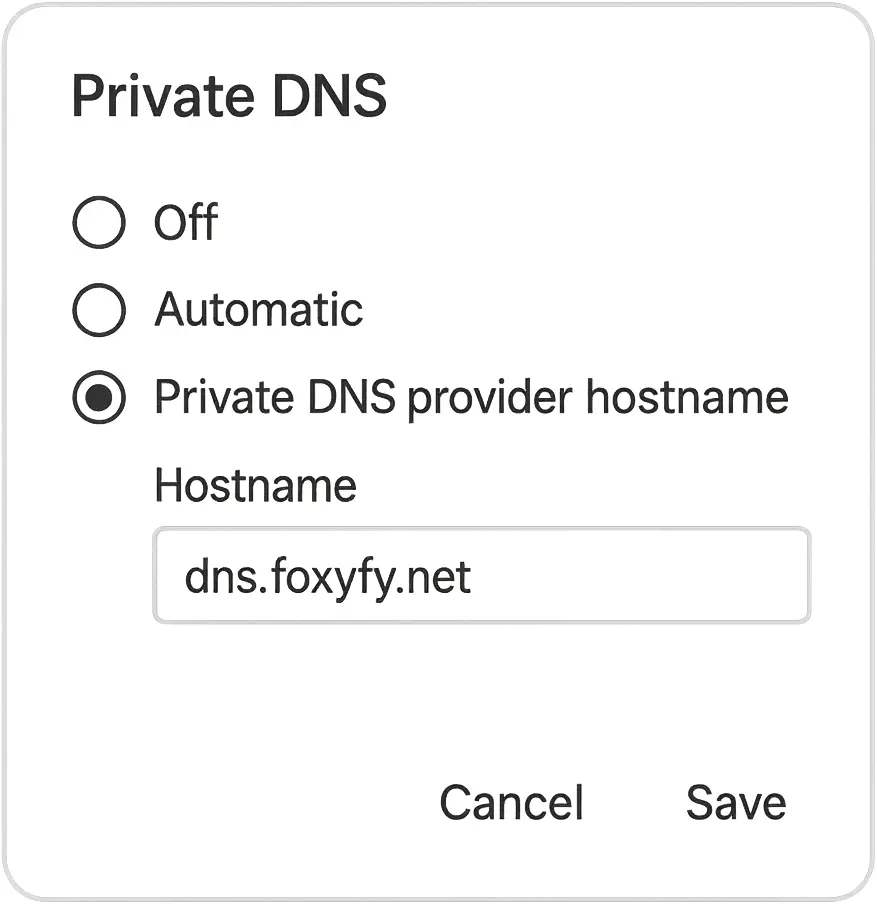
- Android 9+: Settings → Network & Internet → Private DNS → Private DNS provider hostname → dns.foxyfy.net → Save
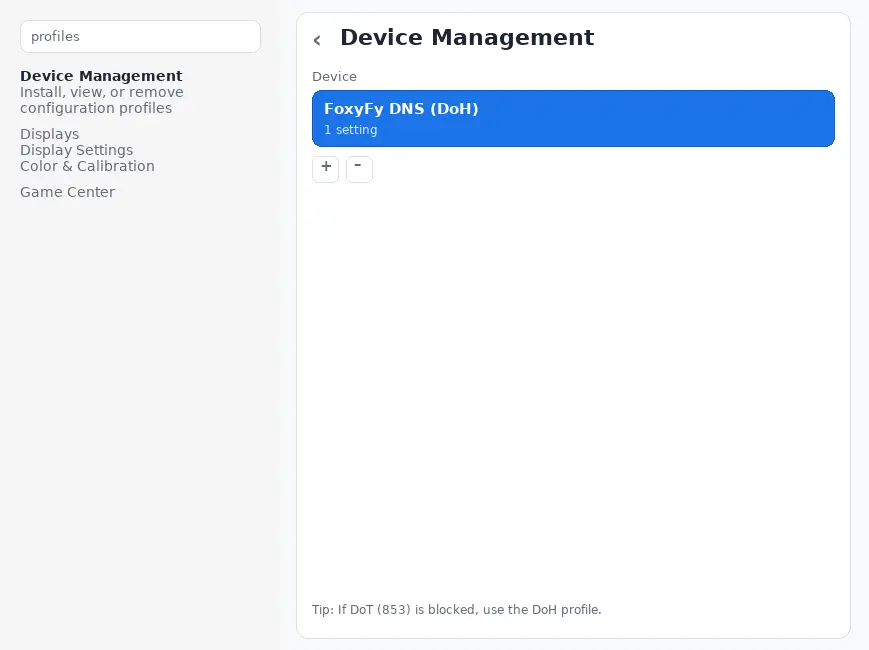
- 🍏 MacOS: Download "DoT.mobileconfig" (below) → Double click to install → Settings → Profiles → Install → Password
- 🍏 iOS: Tab "DoT.mobileconfig" (below) → Settings → General → VPN & Device Management → Downloaded Profile → Install → Password
DNS over HTTPS (DoH) – Secure DNS
Best for: Works everywhere (port 443), bypasses DoT blocks.
Turn Private DNS off while using a DNS app,
Location | DoH |
|---|---|
* Generic | https://dns.foxyfy.net/dns-query |
EU – Germany (Center) | https://de-du.foxyfy.net/dns-query |
EU – Germany (South) | https://de-fr.foxyfy.net/dns-query |
EU – Romania | https://ro-bu.foxyfy.net/dns-query |
EU – Spain | https://es-ma.foxyfy.net/dns-query |
US – East (NY) | https://us-ny.foxyfy.net/dns-query |
US – West (LA) | https://us-la.foxyfy.net/dns-query |
Asia – Japan | https://jp-to.foxyfy.net/dns-query |
🔥 You will get more locations by using our apps.
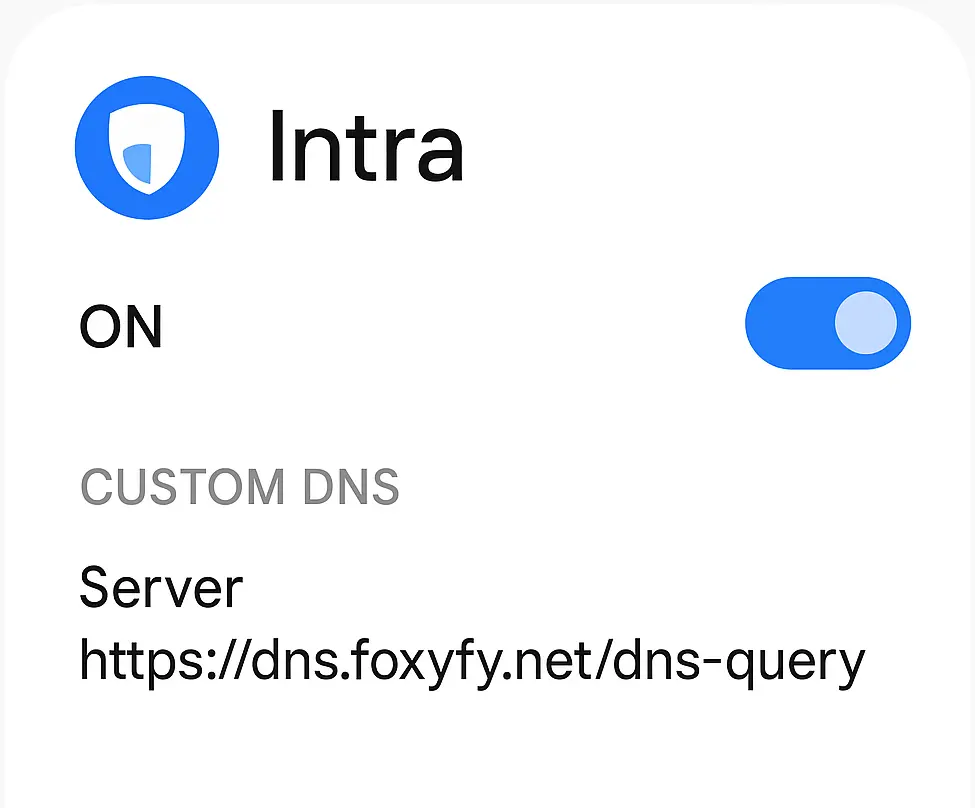
- Android (app): Install Intra → Custom server → https://dns.foxyfy.net/dns-query → Enable.
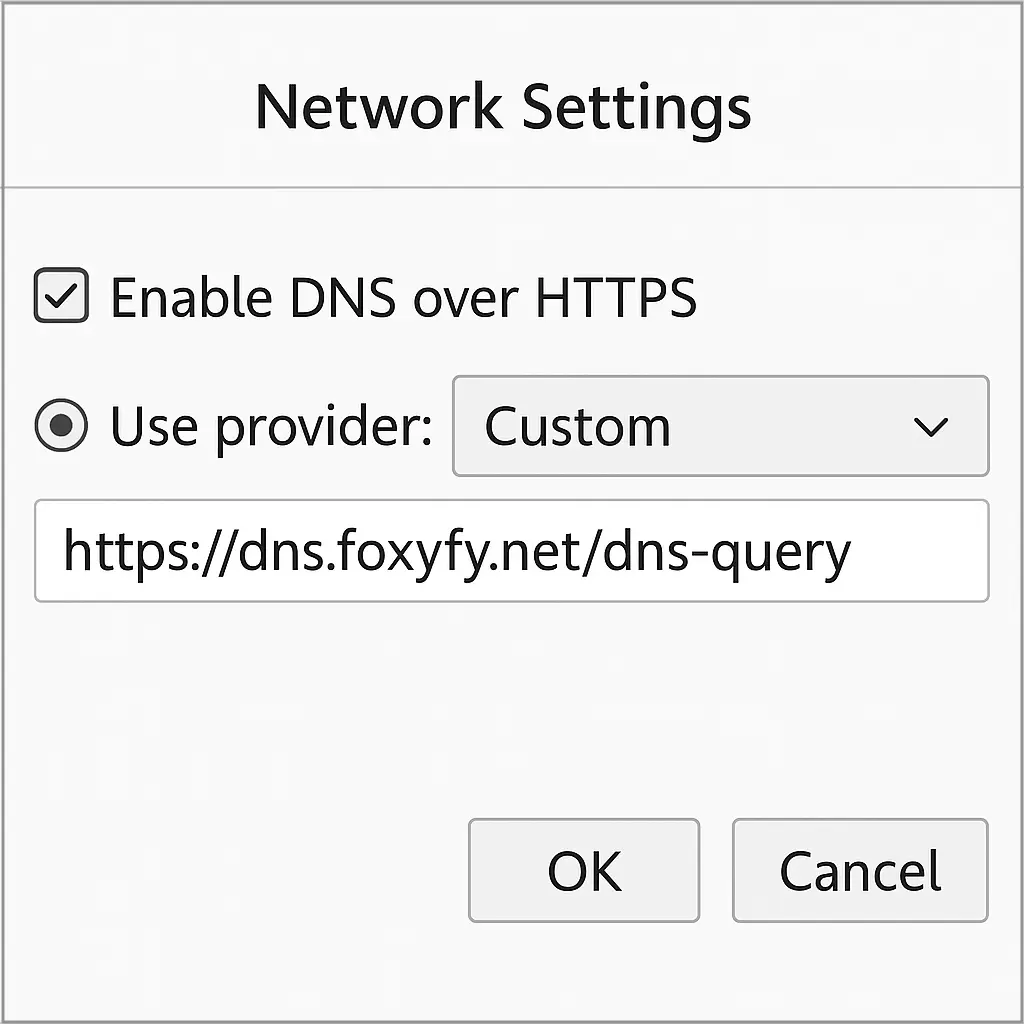
- Firefox: Settings → Network → Enable DoH → Custom → https://dns.foxyfy.net/dns-query
- Chromium/Chrome: Secure DNS → Choose another provider → Custom → paste URL
- Gateways/Services: Many routers/filters (OpenWrt, AdGuard Home, etc.) accept a DoH upstream.
That’s it — your device is officially FoxyFied.